

WhatsApp Chatbot for Business: The Complete 2026 Guide
WhatsApp has 2 billion+ active users. Your customers are already on it — messaging friends, family, and increasingly, businesses. The question is not whether your business should be on WhatsApp. The question is whether you are going to answer those messages manually, one by one, or whether you are going to automate the repetitive 80% so your team can focus on the conversations that actually need a human.
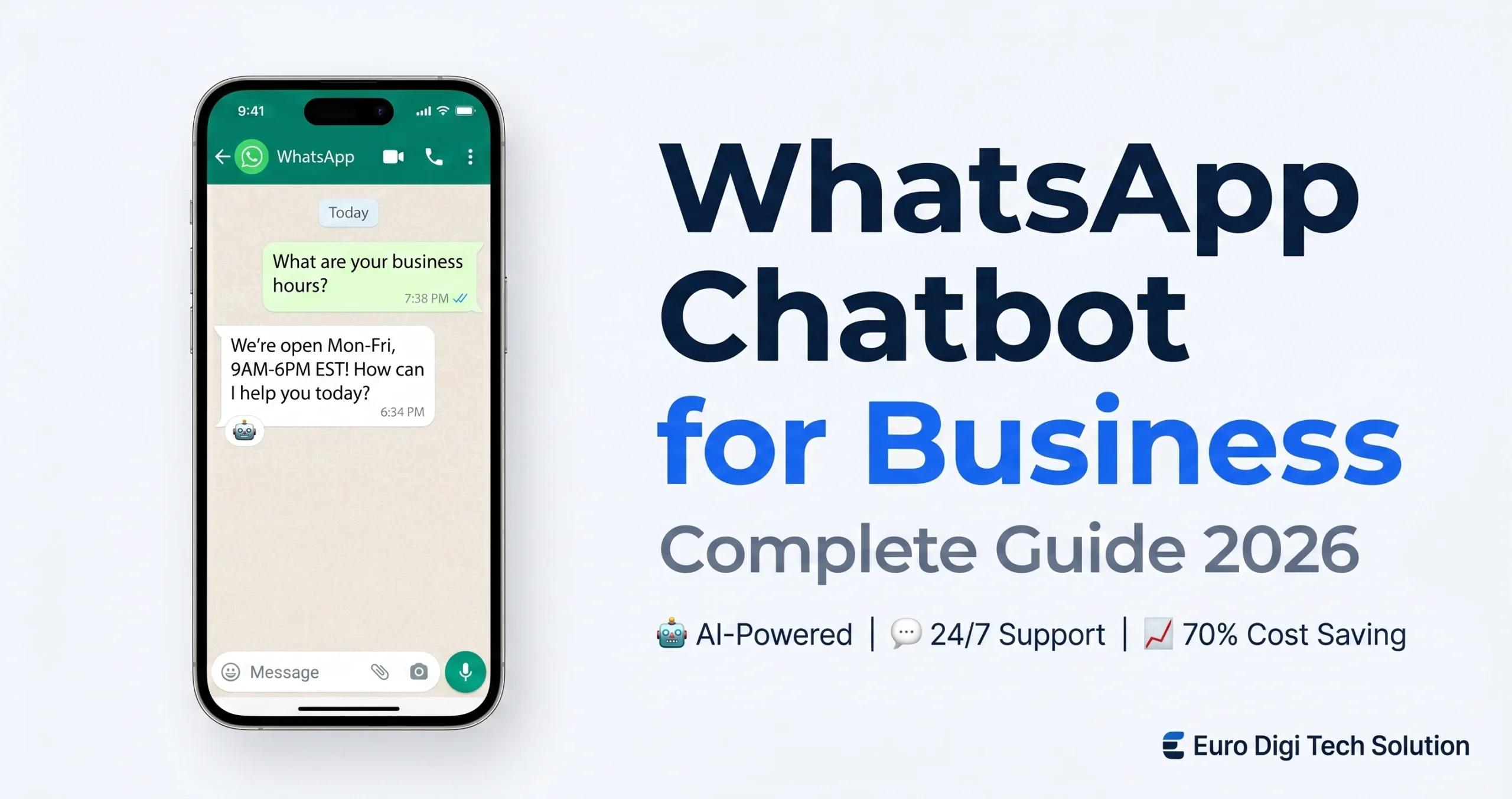
This guide covers everything: what a WhatsApp chatbot for business actually does, how to set one up, what it costs, which use cases drive the most value, and what separates a bot that helps your business from one that frustrates your customers. We have deployed WhatsApp chatbots for clients in the USA, UAE, Canada, and Australia — so this is based on what actually works in practice, not theory.
Related: If you are comparing chatbot options more broadly, read our guide on custom AI chatbot development — it covers the full range of platforms and custom-built solutions.
What Is a WhatsApp Chatbot for Business?
A WhatsApp chatbot for business is an automated software program that handles customer conversations on WhatsApp without requiring a human agent to respond manually. It receives incoming messages, understands what the customer is asking, and replies — either from a predefined script or using AI to generate contextual responses.
The basic version works on decision trees: customer picks from a menu, bot replies with the matching answer. The advanced version — an AI-powered WhatsApp chatbot — understands natural language. A customer types “I want to know about your pricing for the gold package” and the bot understands intent, not just keywords, and gives a relevant answer.
There is a meaningful difference between the two, and it matters for your choice of platform and budget.
WhatsApp Business App vs WhatsApp Business API
Before building any chatbot, you need to understand the two tiers of WhatsApp for business:
WhatsApp Business App (Free): A mobile app designed for small businesses. It includes quick replies, away messages, and a business profile. It does not support real chatbot automation, multiple agents, or API access. If you are handling fewer than 20 conversations per day and do not need automation, this works. Beyond that, you have outgrown it.
WhatsApp Business Platform (API): This is what you need for a real WhatsApp chatbot for business. The WhatsApp Business API gives you programmatic access to WhatsApp — meaning you can connect chatbot platforms, CRMs, and automation workflows to it. It supports multiple agents, unlimited automation, bulk messaging, and full chatbot capability.
To access the API, you need a verified Meta Business account and either build your own integration (developer required) or use a chatbot platform that bundles API access — which is what most businesses do.
https://eurodigitechsolution.com/custom-ai-agent-development/Why WhatsApp Chatbot for Business Matters in 2026
WhatsApp is the dominant messaging platform across the Middle East, South Asia, Latin America, and large parts of Europe. In the UAE, WhatsApp penetration is over 90% of the population. In the UK and Australia, it is the primary messaging app for a significant portion of users under 45. Even in the USA — historically a market that lagged on WhatsApp — business adoption has accelerated sharply.
The numbers that make the business case:
- 83% of customers expect an immediate reply when they message a business. If they do not get one, many go to a competitor.
- WhatsApp open rates run at 95–98% — compared to 20–25% for email. A WhatsApp message gets read. An email often does not.
- 60–80% of incoming queries in most businesses are repetitive — the same questions about pricing, hours, availability, and order status. A chatbot handles these without a human agent touching them.
- AI-powered WhatsApp chatbots reduce customer support costs by 70–80% compared to staffing human agents for the same conversation volume.
The businesses winning on WhatsApp in 2026 are not the ones with the biggest support teams. They are the ones with the smartest automation.
figure>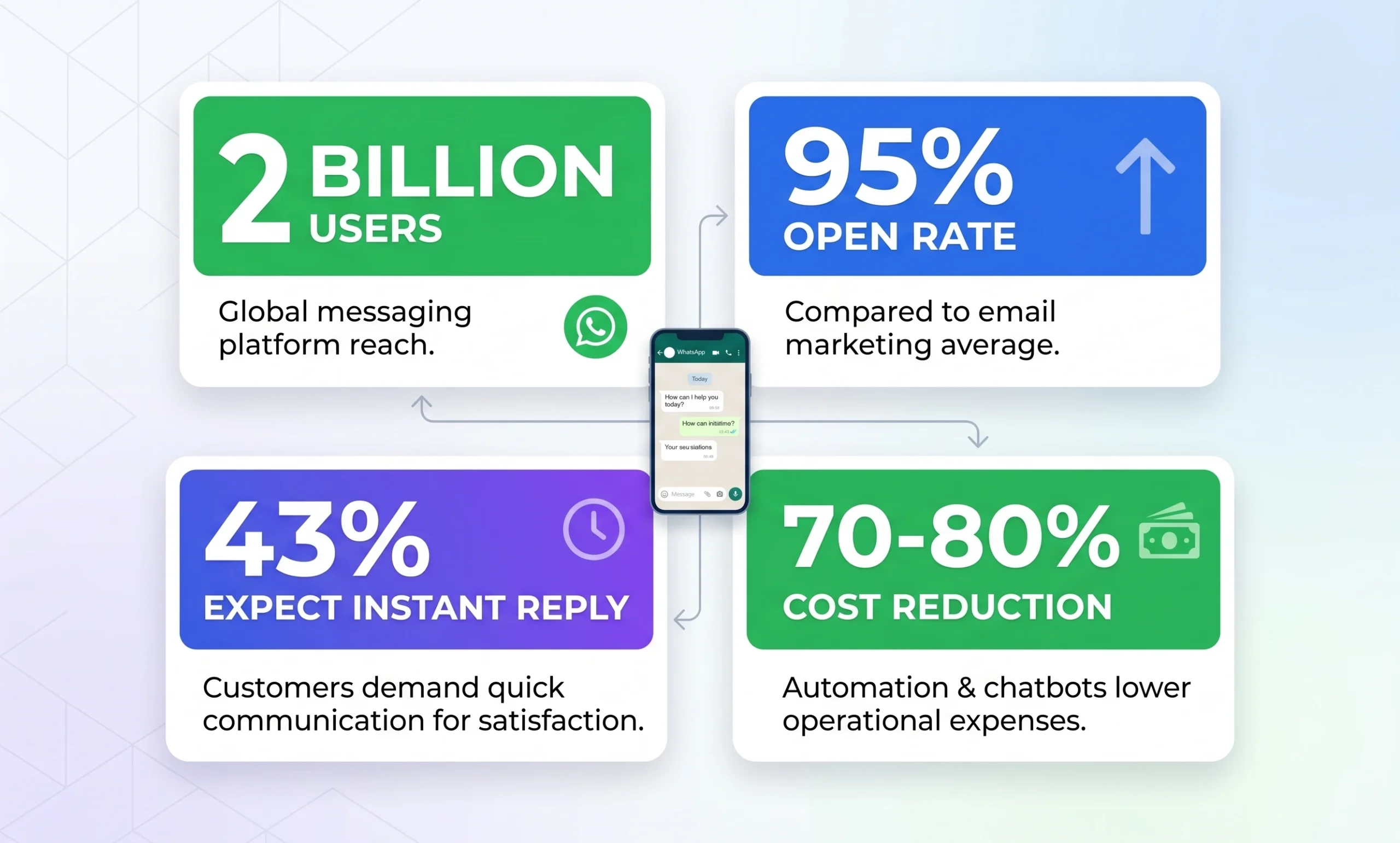
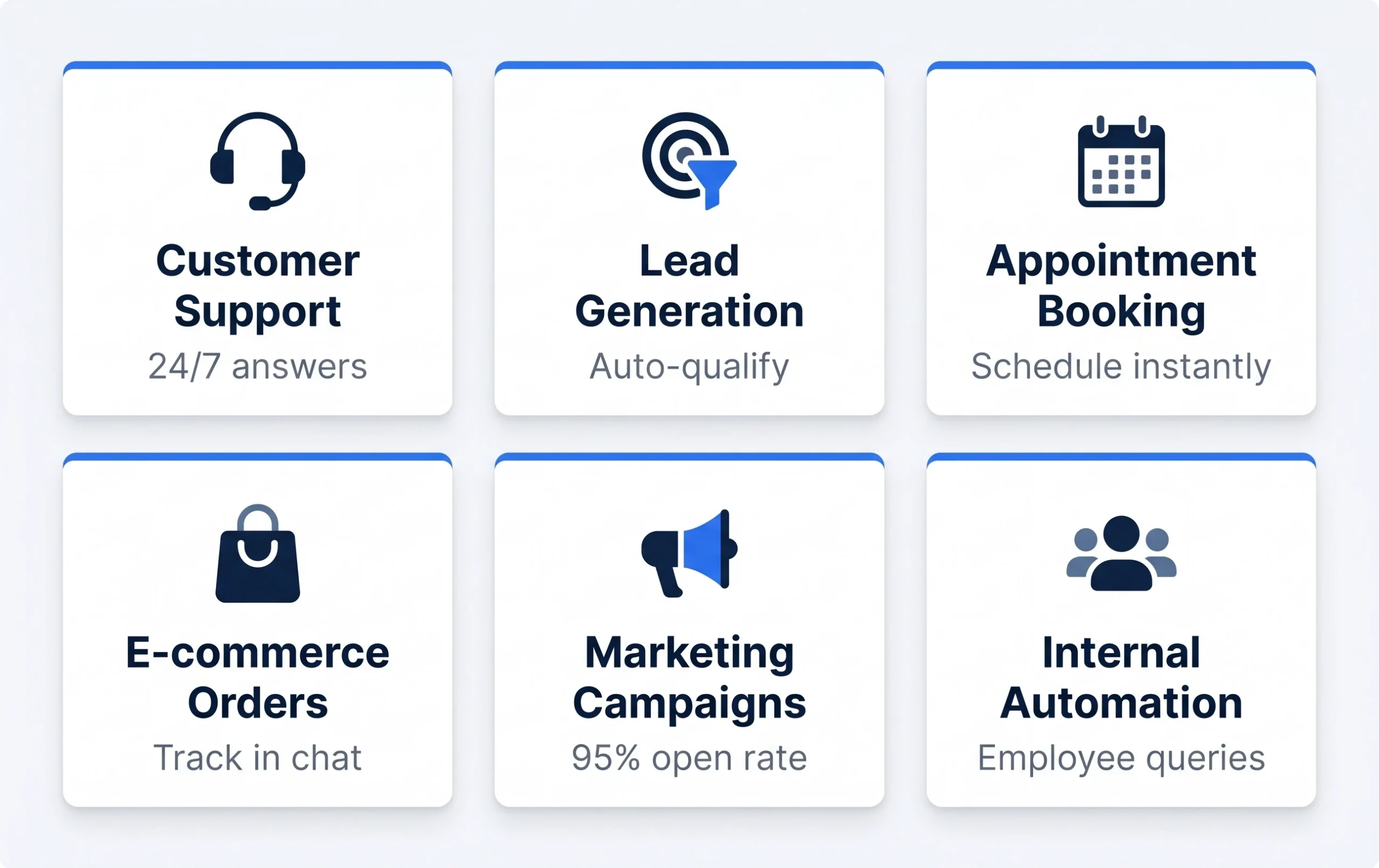
6 High-Value Use Cases for WhatsApp Chatbot for Business
1. Customer Support Automation
The most common use case — and for good reason. Customer support is where WhatsApp chatbots deliver the fastest, most measurable ROI. The bot handles frequently asked questions, order status checks, return and refund queries, account management, and basic troubleshooting — 24 hours a day, 7 days a week, without a human agent involved.
When a question is too complex for the bot, it routes the conversation to a human agent with full context — so the customer does not have to repeat themselves.
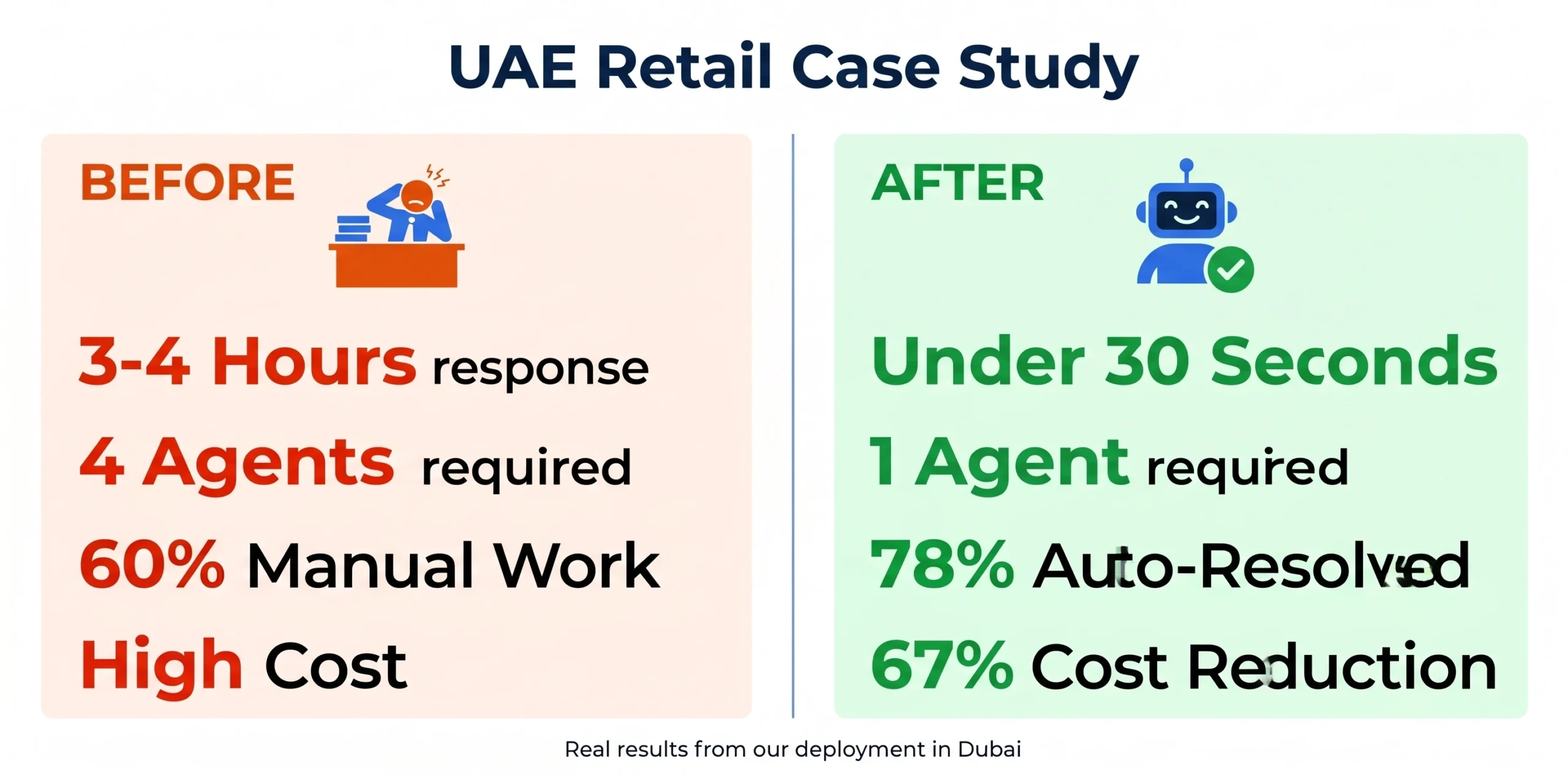
Real result: One of our UAE clients, a retail business handling 200+ WhatsApp queries per day, reduced their support team requirement from 4 agents to 1 after deploying an AI WhatsApp chatbot. Response time dropped from 4 hours to under 30 seconds.
2. Lead Generation and Qualification
WhatsApp chatbots are exceptionally effective at lead qualification. When a prospect contacts you on WhatsApp, the bot immediately engages — asks about their budget, timeline, project requirements, and location. High-intent leads get flagged and routed to sales. Low-intent leads get nurtured automatically.
This matters because most businesses lose leads not because they are uninterested, but because no one responded fast enough. A WhatsApp chatbot responds in seconds, at any hour. That speed advantage compounds over time.
3. Appointment Booking and Scheduling
Healthcare, legal, real estate, beauty, and service businesses use WhatsApp chatbots to handle appointment booking without a receptionist. The customer messages, selects a service, picks a date and time from available slots, and receives a confirmation — all within the WhatsApp chat. Reminders and follow-ups happen automatically.
This is where WhatsApp chatbots often replace tools like Calendly for businesses whose customers are already on WhatsApp.
4. E-commerce Order Management
WhatsApp chatbots handle the most common e-commerce customer service queries automatically: order status, tracking numbers, delivery estimates, return requests, and refund status. Connected to your backend via API, the bot pulls real-time data and gives accurate answers — no human agent needed.
For abandoned cart recovery, WhatsApp outperforms email significantly. A WhatsApp message about an abandoned cart has a 45–60% open rate and a meaningfully higher conversion rate than the equivalent email.
5. Broadcast Campaigns and Re-engagement
WhatsApp Business API allows you to send broadcast messages to opted-in customers — promotional offers, product launches, appointment reminders, event invites. With 95%+ open rates, WhatsApp broadcasts outperform every other channel for getting messages in front of customers who have already opted in.
The key word is “opted-in.” WhatsApp takes spam seriously. Customers must have explicitly agreed to receive messages from you. Businesses that treat WhatsApp like an email blast channel get blocked quickly. Businesses that use it for genuinely useful, timely communication build a direct, high-trust relationship with their customers.
6. Internal Business Automation
This one is underused. WhatsApp chatbots work for internal communication too — HR bots that answer employee questions about leave, payroll, and policies; field team bots that log daily reports; operations bots that track inventory levels. If your employees are already on WhatsApp, an internal bot meets them where they are.
Rule-Based vs AI WhatsApp Chatbot: Which Do You Need?
This is the decision most businesses get wrong — either over-engineering with AI when a simple rule-based bot would suffice, or under-building with a decision tree when their customers need natural conversation.
| Factor | Rule-Based Bot | AI-Powered Bot |
|---|---|---|
| How it works | Menus + predefined replies | Understands natural language + intent |
| Setup cost | Lower ($500–$2,000) | Higher ($2,000–$15,000+) |
| Best for | Simple, predictable queries (FAQs, menus, bookings) | Complex, varied conversations (support, sales, consulting) |
| Handles off-script questions | No — fails or routes to human | Yes — generates contextual response |
| Setup time | Days to weeks | Weeks to months |
| ROI timeline | Immediate (Week 1) | 30–90 days (after training) |
Simple rule of thumb: If you receive fewer than 50 daily queries and they are mostly repetitive and predictable, a rule-based bot is sufficient and more cost-effective. If you handle higher volumes, complex questions, or need the bot to take actions in external systems — you need AI. And if you want the bot to connect with your CRM, check real-time data, or manage multi-step processes, you need a custom AI agent. Our AI agent development service covers this level of automation.
How to Set Up a WhatsApp Chatbot for Business: Step-by-Step
Step 1: Set Up WhatsApp Business API Access
You need a Meta Business Account and a verified phone number dedicated to your WhatsApp business. This number cannot be an existing personal WhatsApp number — use a fresh number or one you can migrate.
Access the API either directly through Meta’s Cloud API (free, but requires developer setup) or through a chatbot platform that bundles API access into their subscription. For most businesses, the platform route is faster and simpler.
Step 2: Choose Your Chatbot Platform
The platform market in 2026 is mature. The main options by use case:
- ManyChat — Best for marketing automation, lead capture, and businesses already using Instagram + Facebook ads. Easiest to set up. Free plan available with limits.
- WATI — Best for small-to-mid businesses focused purely on WhatsApp customer support. Simple interface, solid WhatsApp-specific features.
- Respond.io — Best all-rounder for businesses managing WhatsApp alongside Instagram, Facebook Messenger, Telegram, and other channels from one inbox.
- Landbot — Best for structured conversation flows without code. Visual drag-and-drop builder.
- Custom AI Chatbot — Best for businesses with specific requirements, existing systems (CRM, ERP), or competitive differentiation needs. Built to your exact specifications, trained on your business data, and branded entirely as your own.
Step 3: Define Your Conversation Flows
Before touching any platform, map your conversations on paper first. What are the 10 most common questions your customers ask? What are the 3 most common actions they want to take (book, buy, track)? What happens when the bot cannot answer? Who does it escalate to, and how?
Most WhatsApp chatbot deployments that underperform do so because the conversation design was rushed, not because the technology failed.
Step 4: Build and Train Your Bot
For rule-based bots: build your decision trees in the platform’s visual editor, test every path, and check for dead ends. For AI-powered bots: upload your product documentation, FAQs, pricing guides, and policy documents as the knowledge base. The quality of your training data determines the quality of your bot’s answers.
Step 5: Test Before Going Live
Send 50+ test messages covering your most common scenarios. Test edge cases — what happens when a customer types something completely unexpected? Test handoff to human agents. Test on mobile (most of your customers will be on mobile). Fix what does not work before customers see it.
Step 6: Launch and Monitor
Go live and watch the first 48–72 hours closely. Check which queries the bot failed to answer. Check where customers dropped off. Review any escalations to human agents — these show you where the bot needs improvement. Iterate weekly for the first month.
WhatsApp Chatbot for Business: Pricing Guide 2026
Cost depends on whether you use a platform subscription or build a custom solution. Here is what the market looks like in 2026:
| Solution Type | Monthly Cost | Best For |
|---|---|---|
| WhatsApp Business App | Free | Solo businesses, under 20 chats/day |
| ManyChat / WATI (Starter) | $15–$49/mo | SMBs, simple automation, rule-based |
| Respond.io / Landbot (Pro) | $79–$299/mo | Growing businesses, multi-channel |
| Enterprise Platform | $500–$2,000+/mo | High volume, SLA, advanced automation |
| Custom AI WhatsApp Chatbot | $2,000–$15,000 (one-time build) | Businesses needing branded, CRM-integrated, fully owned solution |
For a deeper look at AI chatbot development pricing across all platforms, read our AI chatbot cost guide for USA businesses.
WhatsApp API conversation fees: Meta charges per conversation (a 24-hour messaging window). Rates vary by country and conversation type (service, marketing, utility). For USA businesses, expect roughly $0.025–$0.085 per conversation depending on type. Most businesses find the volume of conversations handled automatically — at zero incremental labor cost — makes the per-conversation fee negligible.
WhatsApp Chatbot for Business: Real Results
Three deployments we have been part of, with actual numbers:
UAE Retail Business — Customer Support
A retail brand in Dubai handling 200+ daily WhatsApp queries about orders, returns, and product availability. Manual response time averaged 3–4 hours. After deploying an AI-powered WhatsApp chatbot trained on product catalog, return policy, and order management system: response time dropped to under 30 seconds, 78% of queries resolved without human intervention, support team reduced from 4 agents to 1, and monthly support cost reduced by 67%.
USA SaaS Company — Lead Qualification
A software company in California using WhatsApp for inbound sales conversations from their website’s WhatsApp button. Sales team spending 60% of time on unqualified leads. After deploying a lead qualification WhatsApp chatbot: 73% of inbound leads pre-qualified automatically, sales team focused only on leads scoring 7+/10 on qualification criteria, conversion rate from conversation to demo increased from 12% to 31%.
Australian Healthcare Provider — Appointment Booking
A multi-location physiotherapy clinic in Melbourne. Receptionist handling 80+ appointment booking conversations per day manually. After deploying a WhatsApp booking bot integrated with their scheduling system: 92% of appointments booked without receptionist involvement, no-show rate reduced by 40% (automated reminders), receptionist reallocated to in-clinic patient experience.
Common WhatsApp Chatbot Mistakes to Avoid
Treating WhatsApp like an email blast channel. WhatsApp is personal. Unsolicited bulk messages get your number reported and blocked. Build your opted-in audience carefully and message them only with genuinely useful, timely content.
Skipping the conversation design phase. The technology is the easy part. The conversation design — what the bot says, when, and how — is where most deployments succeed or fail. Invest time here before touching the platform.
No human escalation path. Some conversations need a human. If your bot hits a wall and has no escalation path, customers get frustrated and leave. Always have a clear “connect me to someone” option.
Training the bot once and forgetting it. A WhatsApp chatbot improves over time — but only if you review its failures regularly. Check unresolved queries weekly for the first 3 months and update the knowledge base accordingly.
Using a personal number for business. You cannot migrate an existing personal WhatsApp number to the Business API without losing its message history. Use a dedicated business number from the start.
Frequently Asked Questions
Is WhatsApp chatbot free for business?
The WhatsApp Business App is free and includes basic auto-replies. A real chatbot — with AI, API access, and automation — requires either a paid platform ($15–$2,000/month depending on scale) or a custom-built solution. Meta also charges per conversation through the API, though rates are low relative to the labor cost they replace.
Can a WhatsApp chatbot integrate with my CRM?
Yes. Most enterprise WhatsApp chatbot platforms integrate with major CRMs including Salesforce, HubSpot, and Zoho. Custom-built solutions can integrate with any CRM via API — including proprietary systems. CRM integration means the bot can personalize conversations using customer history and update records automatically.
Is WhatsApp chatbot legal in UAE and USA?
Yes, with proper compliance. In the UAE, follow the Telecommunications and Digital Government Regulatory Authority (TDRA) guidelines. In the USA, follow TCPA guidelines for messaging. The key requirement in both markets: customers must have explicitly opted in to receive messages from you. Meta enforces this through its WhatsApp Business Policy.
How long does it take to build a WhatsApp chatbot?
A basic rule-based WhatsApp chatbot using a no-code platform takes 1–2 weeks from start to live. A custom AI-powered WhatsApp chatbot with CRM integration and advanced conversation flows takes 4–8 weeks depending on complexity. Timeline depends almost entirely on how clearly defined your use case and conversation flows are at the start.
WhatsApp chatbot vs custom AI chatbot — which is better?
They serve different needs. A WhatsApp chatbot is specifically for WhatsApp conversations. A custom AI chatbot can be deployed across your website, WhatsApp, email, and other channels from a single system with one knowledge base. For businesses that want multi-channel coverage with consistent behavior everywhere, a custom AI chatbot is the better investment. See our custom AI chatbot development service for what that looks like.
Ready to Deploy a WhatsApp Chatbot for Your Business?
We build custom WhatsApp chatbots and AI chatbot solutions for businesses in USA, UAE, Canada, and Australia. Not platform subscriptions with your logo on them — fully custom, fully owned solutions trained on your business data, integrated with your existing systems, and deployed across WhatsApp and other channels simultaneously.
Most of our clients see the investment recovered within 60–90 days through reduced support costs alone. The lead generation and conversion improvements are on top of that.
If you want a straight answer on whether a WhatsApp chatbot makes sense for your specific situation — and what it would cost — contact us for a free consultation. We will tell you honestly what you need, even if it is not us.
Also worth reading: AI Agent vs ChatGPT: Which Should Your Business Use in 2026?
“dateModified”:”2026-05-20″,
“mainEntityOfPage”:”https://eurodigitechsolution.com/blog/whatsapp-chatbot-for-business/”
}
For anyone looking for Fortress Clash, this page is worth checking. It gets straight to the game without extra clutter.
Thank you for the feedback! Glad you found the page useful and easy to navigate. We always try to keep things simple and user-friendly for visitors looking for Fortress Clash.